A Safe and Colorful Game Hub Built for Young Learners
PBS KIDS Games is the kind of children’s game platform that works because it understands its audience clearly. It is not trying to be loud, complicated, or competitive. It focuses on simple interaction, friendly characters, educational themes, and short activities that young children can understand without needing constant explanation. The result is a game hub that feels calm, bright, and useful for families looking for age-appropriate digital play.
What makes PBS KIDS Games appealing is the connection between play and learning. The games often use familiar PBS KIDS characters to introduce concepts like counting, shapes, letters, problem solving, creativity, science, memory, emotions, music, and everyday routines. Instead of presenting lessons like homework, the platform wraps them inside small activities that feel approachable.
For parents looking to download, install, and play free educational games across supported platforms, PBS KIDS Games is one of the more trustworthy options in the children’s media space. It is best used as guided screen time, where a child can explore safely while adults know the content is designed with learning and age suitability in mind.
The First Impression Is Friendly and Easy to Navigate
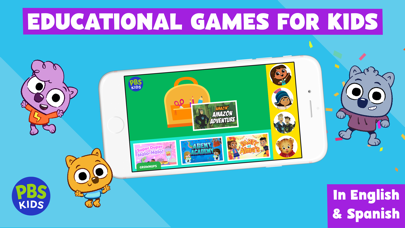
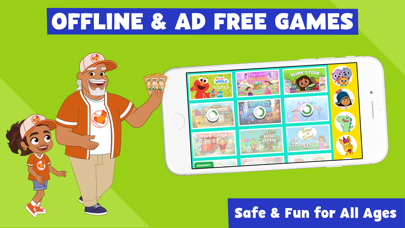
PBS KIDS Games makes a good first impression because the design is colorful without feeling too chaotic. Young players need clear icons, recognizable characters, simple menus, and quick access to activities. This platform usually understands that children do not want to dig through complicated settings before playing.
I like how the games are organized around characters and shows that many children already recognize. That familiarity helps reduce confusion. A child who knows a favorite character may be more willing to try a counting game, matching activity, puzzle, or creative challenge because the character makes the task feel friendly.
The platform’s biggest strength is accessibility. A young child can choose a game, start playing quickly, and understand the goal through visuals, voice guidance, and simple controls. That matters a lot for preschool and early elementary audiences.
Educational Value Comes Through Play, Not Pressure
PBS KIDS Games works best when learning feels like a natural part of the activity. A child might sort objects, count items, build something, follow a pattern, identify shapes, explore science ideas, or practice reading-related skills without feeling like they are completing a worksheet. That playful approach is one of the platform’s main strengths.
I enjoy games that reward curiosity instead of only correct answers. Young children learn well by trying, observing, repeating, and experimenting. A good educational game should let mistakes become part of learning rather than a reason to stop playing.
The best PBS KIDS Games activities feel gentle but purposeful. They give children something to do with their hands and minds, while keeping the tone positive. That makes the platform useful for families who want screen time to feel more constructive.
Familiar Characters Help Children Stay Engaged
One major advantage of PBS KIDS Games is its character library. Familiar faces can turn a basic educational activity into something more exciting for a child. A simple matching game becomes more appealing when it includes a beloved character. A science activity becomes easier to approach when a friendly guide explains what to do.
I like how character-based learning can support emotional comfort. Young children often respond strongly to familiar voices, colors, and personalities. When a game uses characters they already trust, the learning moment can feel less intimidating.
This also helps parents. Instead of searching randomly for children’s games and hoping the content is appropriate, families can choose activities connected to programs they already know. That sense of trust is a major reason PBS KIDS Games stands out.
The Game Variety Is Better Than It First Appears
PBS KIDS Games may look simple at first, but the variety can be surprisingly broad. Some games focus on math and counting. Others involve reading readiness, storytelling, science exploration, music, art, problem solving, pattern recognition, or social-emotional learning. That mix helps the platform serve different interests and developmental stages.
I enjoy that children can move between different types of activities depending on mood. A child who wants something quiet might choose a coloring or sorting game. A child with more energy might choose a movement-based or timing-focused activity. A child interested in animals, space, cooking, building, or pretend play can often find something that fits.
This variety keeps the platform from feeling like one repetitive lesson. It works more like a children’s activity shelf, where each game offers a small, focused experience.
Controls Are Simple Enough for Young Players
Children’s games need controls that are easy to understand, and PBS KIDS Games usually keeps interaction simple. Tapping, dragging, matching, selecting, moving, and listening are common actions. These controls work well for touchscreen devices, but many games can also feel natural with a mouse depending on the platform.
I like when games avoid punishing young players for imperfect precision. Small children are still developing motor skills, so forgiving controls matter. If a game expects perfect timing or tiny movements, frustration can replace learning quickly.
The best activities on PBS KIDS Games guide children clearly. Voice prompts, visual hints, and repeated instructions help kids stay oriented. That makes the platform easier for independent play, though younger children still benefit from adult support.
Download, Install, and Play Across Supported Platforms
Parents looking to download PBS KIDS Games should use official platforms. The safest way to install the app or access the games is through trusted app stores, official PBS KIDS pages, or verified platform listings for supported devices. This helps avoid fake apps, unsafe files, misleading ads, and outdated copies.
Before installing, I would check supported platforms, device compatibility, storage space, offline options, privacy details, parental controls, and whether the app offers the specific games or characters your child wants. Children’s apps should always be reviewed carefully before use.
Players searching for a free version should still use trusted sources. PBS KIDS Games is widely associated with free educational play, but official access is the best way to confirm availability, updates, and safe content. Random download pages promising extra access or unlocked content should be avoided.
Unblocked Versions Are Not Worth the Risk
Searches for PBS KIDS Games unblocked may appear because children’s games are often used on school or shared networks. I understand why families or students may look for quick access, but unofficial unblocked pages are not the best option for children’s content.
An unblocked page may include copied games, outdated versions, broken controls, intrusive ads, unsafe prompts, or unrelated content around the game window. This is especially important for young players, who may click on bright buttons without understanding whether they are part of the game.
I would use official PBS KIDS access whenever possible. For children’s games, safety, privacy, and content reliability are more important than shortcut convenience.
Cheats and Mods Do Not Belong in This Kind of Experience
PBS KIDS Games is not the kind of platform where cheats and mods add meaningful value. The games are designed for learning, creativity, and simple fun, not for competitive advantage or deep customization. Shortcuts would mostly defeat the purpose.
I would be especially cautious of any page promising cheats, unlocked PBS KIDS content, modified apps, or premium-style access. Children’s apps should not be downloaded from suspicious sources, because unofficial files may create privacy, stability, device safety, or payment concerns.
If parents want more variety, the safer route is to explore official PBS KIDS games, rotate activities, or pair screen play with offline learning. There is no need to use risky modifications for a children’s educational platform.
Why PBS KIDS Games Works Well for Guided Screen Time
PBS KIDS Games works best when adults treat it as guided screen time rather than unlimited entertainment. The platform can support learning, but it becomes more valuable when parents or caregivers ask questions, repeat ideas, and connect the game to real life.
For example, after a counting game, a parent can count toys in the room. After a science game, they can talk about animals, weather, or plants. After a feelings-based activity, they can discuss emotions and everyday situations. This turns a simple digital game into a larger learning moment.
I like that the games are short enough to fit into controlled sessions. A child can play one or two activities, then move to reading, drawing, outdoor play, or conversation. That balance matters more than any single app feature.
Where PBS KIDS Games Can Feel Limited
The biggest limitation is that the games are intentionally simple. Older children or players who want deep mechanics, advanced progression, or fast action may find the platform too basic. PBS KIDS Games is designed for younger audiences, and that focus is both a strength and a limit.
Some games may also depend on a child’s interest in specific characters. If a child does not know or care about a show, the activity may feel less exciting. Character familiarity helps a lot, but it also means preferences can vary from family to family.
Another limitation is that not every game will be equally polished or equally educational. Some activities may feel more like simple play, while others have clearer learning goals. Parents may need to explore and choose the best options for their child.
Who Should Use PBS KIDS Games
PBS KIDS Games is a strong fit for preschoolers, early elementary children, parents, caregivers, and teachers who want friendly educational games from a trusted children’s media brand. It is especially useful for families looking for free or accessible activities that support learning without aggressive pressure.
I would recommend it for short, supervised sessions where children can practice basic skills, explore creativity, and spend time with familiar characters. It works well at home, in classrooms, or during calm moments when a child needs a structured digital activity.
Players who want complex gameplay, competitive multiplayer, or advanced challenges will not find that here. But for young learners who benefit from gentle guidance, bright design, and playful educational activities, PBS KIDS Games is a very solid choice.